
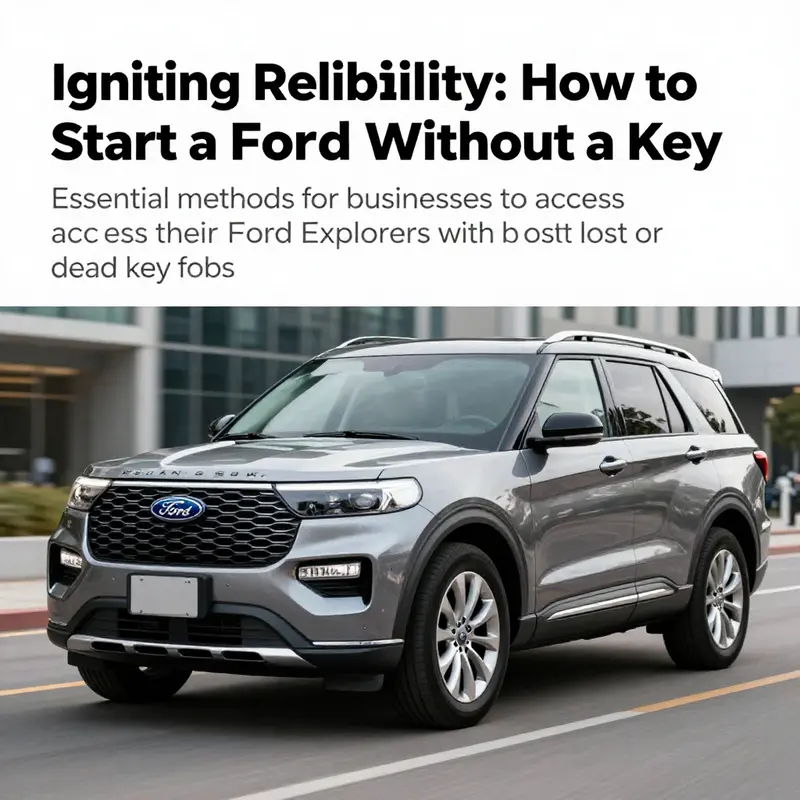
For business owners relying on their Ford Explorers, facing a lost or dead key fob can be a daunting challenge. Whether it’s for transport, delivery, or client meetings, maintaining access to your vehicle is essential for operational efficiency. Fortunately, even in such situations, starting your Ford Explorer is possible without traditional keys. This guide will delve into practical methods to unlock and ignite your vehicle using the backup key slot, the emergency mechanical key, and understanding the advanced keyless entry systems. Each chapter provides clear instructions and insights crucial for business owners navigating keyless vehicle technology.
Beyond the Push Button: Mastering the Backup Key Slot to Start a Ford Explorer Without the Fob
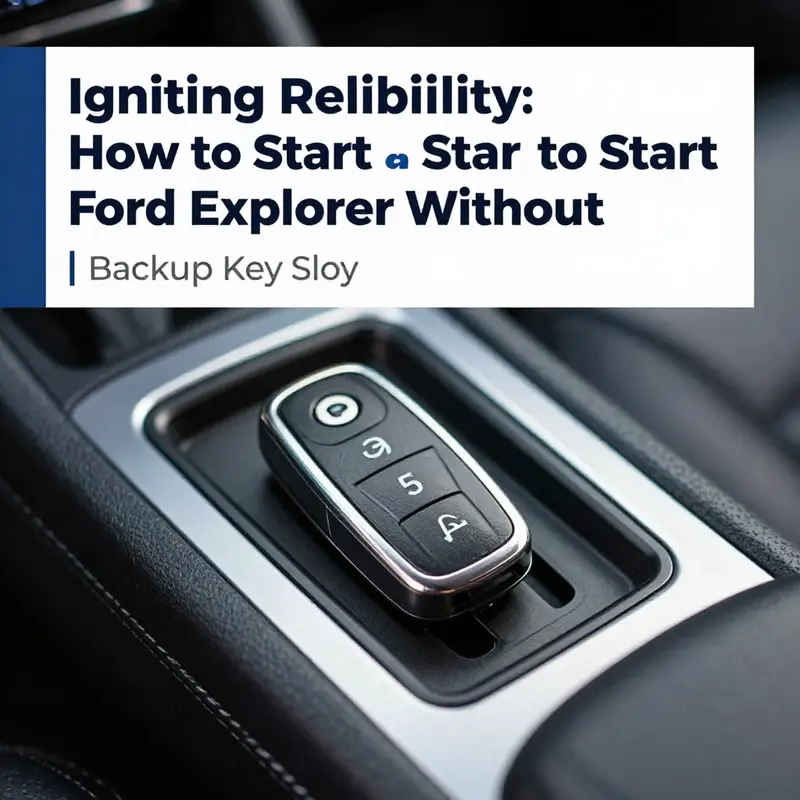
On mornings when the battery in the key fob is dead or the remote seems unresponsive, the Ford Explorer still offers a dependable path back to the driver seat. Modern Explorers pair the convenience of keyless ignition with a deliberate safety net, a reserve mechanism that keeps you moving when electronics falter. This reserve is the built in mechanical backup key and a dedicated backup key slot tucked inside the center console. The design does not merely patch a weakness; it preserves mobility by providing a physical input that the vehicle recognizes even when the fob cannot communicate. Understanding how to use this feature can save time, reduce frustration, and prevent being stranded in awkward situations. It is a reminder that while the world accelerates toward wireless technology, the car still carries a physical interface that keeps you moving when the batteries fade.
To find this critical point of contact, begin with the center console. In the Ford Explorer, the storage compartment under the armrest opens to reveal a neat pocket that can be easy to miss on first glance. Look for a small cover or a slot near the front edge of the console, often marked with a subtle key icon or labeled Key Slot. The exact placement can vary slightly by year, but the intent remains constant: a discreet, accessible location where the separate mechanical key portion of your remote can connect with the vehicle without disturbing the exterior design. If you are uncertain you are looking at the right feature, the owner manual for your model year provides a precise diagram and description. Some drivers expect to see a metal keyhole or a large mechanical cylinder in the dash, but that is a relic of older designs. The backup key slot inside the console is the contemporary solution designed to keep you moving when the key fob battery fails or the wireless system momentarily goes offline. The slot is engineered to be user friendly, even for someone who encounters this situation for the first time.
When you locate the slot, prepare the backup key. The physical key you will use is the metal blade that is housed in the back of the fob. It is intentionally slim and robust because it must slide into a dedicated path that leads to a detection contact. Remove the mechanical key from the fob by deploying the release mechanism on the fob and pulling out the blade. Handle the key with a light touch and avoid forcing it. Insert it into the slot with a steady push; you should feel or hear a definite click as it seats. The act of insertion engages the mechanical interface that is connected to the vehicle’s security system. Unlike simply holding the fob near the start button, the embedded contact here creates a recognized input that the car’s computer can read even if the fob battery is dead. This is the critical step that turns electronic failure into a human readable cue that the car can respond to.
With the key properly in place, the next part of the ritual is safety first. Press the brake pedal firmly to the floor. This is not merely a courtesy; it ensures the vehicle cannot lurch forward when the start sequence begins, particularly in automatic transmissions that rely on pedal input to validate that the operator is prepared. After you have the brake depressed, move your hand to the Start button and press it. The engine should respond almost immediately as the system acknowledges the mechanical key in the backup slot. You will hear the familiar engine start sound and feel the idle settle as the vehicle transitions from accessory to running. In most Explorer configurations, the Start button is located on the dash or near the steering wheel, a design that encourages quick and intuitive activation without fumbling for a traditional key. The moment the system recognizes the key in the backup slot, ignition is engaged and the dashboard lights illuminate in a reassuring glow that signals readiness to drive.
This method is straightforward but its usefulness depends on the specific hardware installed in your Explorer. It is essential to confirm that your vehicle uses a push-button start and a dedicated backup key slot. The mode is not compatible with every older generation that uses a conventional metal key in a barrel near the ignition. The owner manual and official support confirm that the combination of a mechanical input with a digital recognition system is a deliberate design choice that balances reliability with security. If your Explorer does not have a visible backup slot or if the engine does not respond after inserting the key and pressing Start, the path ahead is to rely on professional assistance rather than repeated attempts that could drain the battery or confuse security sensors. In some cases, there may be a temporary immobilizer or fuse issue that requires service, so do not hesitate to seek help if the problem persists.
Understanding the scope of this feature can also prepare you for scenarios that extend beyond a single starting event. The backup key slot is not a universal cure for every failure mode; it works best when the vehicle’s electronic system is momentarily offline and there is a known, physical input that the car trusts. This capacity is especially helpful on cold mornings when batteries tend to lose a higher percentage of charge or when the car has sat for a period and the remote loses its first signal. The mechanical key and slot approach ensures a brief, predictable interface that helps restore immediate access without waiting for a tow or a call to roadside assistance. It is not a substitute for a healthy fob battery, and it should not encourage careless neglect of the key fob. Treat the backup slot as a reliable fallback, a practical tool that complements regular maintenance rather than a loophole to exploit.
For those who want to explore how this Explorer feature sits within the broader world of vehicle reliability, consider the practical implications for long trips. The backup key slot helps maintain mobility when remote systems fail, which is particularly reassuring on remote roads or when cellular coverage is poor and getting assistance quickly would be costly or time consuming. It also underscores the value of having a spare key available to the driver; the mechanical backup is a ready-made safeguard that can save you from being stranded overnight in some places. If you want to extend your reading beyond the start sequence itself, you can consult a broader Explorer focused guide on towing capacity by year, which illustrates how design shifts across generations influence the overall reliability and flexibility of the vehicle. This kind of cross reference helps you plan trips with confidence and reinforces why understanding the backup slot is part of a practical literacy about modern Ford vehicles. You can explore that topic here: Ford Explorer towing capacity by year.
If you ever find yourself in a scenario where the backup slot proves unresponsive, remember that the fallback is intended for moments when routine systems fail briefly. It is not a substitute for routine maintenance, nor is it a reason to ignore a problem with the fob battery or the vehicle’s electronic controls. A dead key fob can be an early warning of a broader electrical issue or a failing battery in the vehicle itself, and if the start sequence fails repeatedly, the prudent course is to have the system checked by a certified technician. When a technician evaluates the vehicle, they will verify the integrity of the backup slot contact, assess the status of the immobilizer system, and review the wiring harnesses that connect the console to the ignition module. In many cases, an underlying fault may be as simple as a corroded contact in the slot or a blown fuse that supplies the ignition circuits. A quick diagnostic can quickly reveal such issues and guide a straightforward repair instead of a drawn out troubleshooting process for the driver.
From a ownership perspective, the backup key slot embodies a practical philosophy about modern vehicles. It is a reminder that engineering often blends two worlds: the precise, programmable nature of digital security and the tangible reliability of a mechanical input. The slot is not an invitation to bypass security; rather, it is a safety net that respects the reality that electronics can fail and that drivers deserve a predictable way to regain access and move on with their day. As you use this feature, treat the fallback with the same respect you would give to any essential car tool. Keep the physical backup key clean, dry, and accessible; store the fob in a place where the battery is protected from extreme cold; and practice the start sequence a couple of times when you know the car is in reliable condition so you are prepared when an actual emergency arises. In that sense, the backup slot is not a loophole but a carefully considered design that protects your mobility without compromising the integrity of the vehicle’s security systems.
For readers who want to explore related topics, there is value in connecting this knowledge to a broader set of vehicle care and reliability articles. The internal reference to the Explorer towing capacity by year offers a concrete example of how design migration across generations can affect everyday experiences, from the ease of starting to the way the vehicle performs under load. This cross reference can be particularly useful when planning long trips or evaluating configurations for different uses. You can explore that topic here: Ford Explorer towing capacity by year.
External resource: https://www.ford.com/support/owners-manuals/
This chapter is designed to provide a clear, practical description of the backup key slot method for Ford Explorer. It aims to be a cohesive, realistic narrative that respects both safety and security concerns, while avoiding unnecessary technical jargon. It emphasizes authorized, legitimate use and encourages readers to consult official owner manuals and authorized service centers for model year specific instructions. The backup key slot is a legitimate, useful feature when used correctly and with proper preparation.
The Backup Key Path: Safely Accessing a Ford Explorer When the Fob Fails
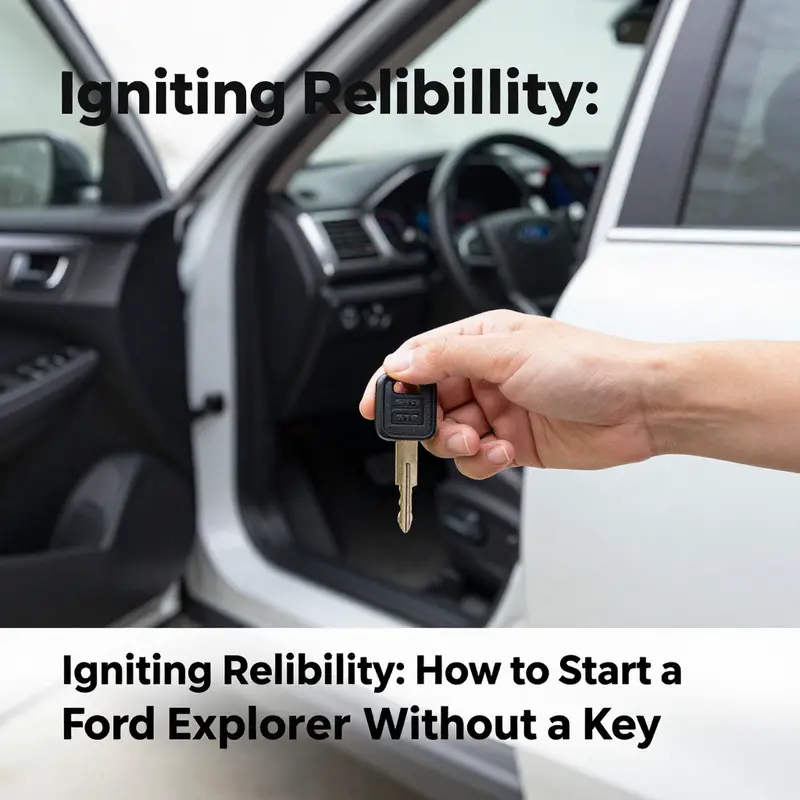
When a modern Ford Explorer meets the stubborn reality of a dead or missing key fob, the moment can feel like a lockbox refusing to yield. Yet beneath that frustration lies a design intention: to keep the vehicle accessible to its owner even when the primary electronic credential falters. The Explorer is built around a fusion of electronic authentication and, for emergencies, a mechanical counterpart. The push-button start systems that many drivers rely on daily don’t exist in a vacuum; they sit alongside a backup key approach that is easy to overlook until the moment of need. The result is a vehicle that can still be awakened and moved, provided you follow the model’s specific emergency procedures and respect the safety safeguards built into modern ignition and security systems. In the broader arc of owning a late-model SUV, this safeguard is a reminder that convenience and security are not opposing forces but complementary aspects of a thoughtfully engineered system. To appreciate how this works, it helps to understand the two parallel paths Ford provides for an Explorer whose electronic key fob has failed.
The first path is the most familiar to drivers who encounter a dead fob battery. In many Explorers, a dedicated backup key slot is embedded in the center console. This is not simply a storage pocket or a decorative feature; it is a transitional interface designed for the moment when the fob’s battery can no longer communicate with the vehicle’s onboard computer. The slot relies on a built-in RFID chip within the fob, a silent handshake that signals presence even when the battery can’t power the fob’s radio frequency functions. The design philosophy here is subtle but important: you should not have to surrender your travel plans to a dead battery. You should be able to move the car to a safe location, or at least get to a place where you can replace or recharge the fob’s battery without resorting to invasive or invasive-looking procedures. The center console backup slot is typically clearly marked and located in a place that is easy to access for the vehicle owner, especially when you are already seated in the driver’s seat and need to act quickly.
Beyond the slot, there is also an emergency mechanical key, a more traditional credential that remains useful in a world of push-button starts. The mechanical key is a separate tool, often concealed within the fob itself or tucked away in a separate accessory, and it has a practical role: to unlock the driver’s door and, in certain situations, to engage the vehicle’s ignition to bring the engine online. The mechanical key is not a throwback to days of quirkier ignition systems; it is a measured addition aimed at preserving access and safety when electronic components are temporarily incapacitated. In a modern SUV, this dual approach—electronic credential plus mechanical fallback—speaks to a broader principle: the vehicle must remain usable in real-world conditions, including those where technology temporarily fails due to battery drain, harsh weather, or other unpredictable factors. The most important takeaway is that this is not an invitation to improvise a start sequence from scratch. It is an established, documented approach that should be engaged with care and with reference to the owner’s manual.
The second facet of this emergency framework involves the recognition that the vehicle’s ignition and immobilizer systems are designed to interpret the presence of a valid credential before allowing the engine to start. This is not merely a convenience feature; it is a security measure that prevents unauthorized use. When the fob is present in the backup slot, or when the mechanical key is recognized by the ignition system in a manner consistent with the vehicle’s programming, the system lifts certain restrictions and permits the engine to come alive. The exact sequence that leads to ignition, however, is model-year dependent. The same family of SUVs can be configured differently across years, reflecting ongoing refinements in Ford’s security architecture. The practical implication for a driver is simple: never assume that the same steps will apply across all Explorers. The routing of the emergency mechanism, the precise position of the backup slot, and the activation of the vehicle’s electrical system can vary with a given year’s software and hardware package. The right approach is to consult the owner’s manual for the exact model-year instructions, then proceed with patience and caution.
In this light, the experience of starting an Explorer without a functioning fob shifts from a single, universal method to a contextual, model-specific encounter. If your Explorer is equipped with push-button start and a dedicated backup key slot, the process is designed to be straightforward under the right conditions. The system will detect the presence of the backup credential via the slot and, with the brake engaged and the vehicle in a safe configuration, allow the engine to commence once the ignition system is properly engaged. The beauty of this design is in its resilience: the vehicle remains operable in a way that respects both owner convenience and security constraints. The opposite danger—being stranded because of a dead fob—is mitigated by a clear, manufacturer-backed procedure that the owner can perform with the right tool at hand. This is the essence of how a modern SUV accommodates an emergency without compromising the guardrails that protect it from misuse.
For drivers who want to anticipate trouble before it arrives, there is a broader lesson here about preparedness and vehicle-specific information. The exact location of the backup slot and the method by which the fob communicates with the car can depend on the presence of certain features, such as a center-console slot designed for the fob and a push-button ignition system. In models where those features exist, the owner’s manual will describe how the components interact when the fob’s battery is dead and how to proceed in a controlled, safe environment. The manual is not merely a set of instructions; it is a map of safety-critical interactions between human action, hardware, and software. Reading it before you need it protects you from improvisation under stress and helps ensure that you take the correct steps in an emergency. It also provides important cautions about safety concerns, such as ensuring the vehicle is stationary and in a secure location before attempting to use any emergency access method. The goal is never to press past the vehicle’s safeguards or to take shortcuts that could lead to unintended movement or injury.
To ground this discussion in practical realities, it is helpful to note how the two pathways—backup slot recognition and mechanical key access—interact with the vehicle’s safety logic. The driver’s brake pedal acts as a crucial safety input for automatic transmission models. Engaging the brake is a standard requirement designed to prevent accidental movement as the ignition system transitions from a dormant state to an active one. In this sense, the emergency start concept is not about bypassing protections; it is about providing a supervised, intentional route for the owner to resume operation of a vehicle that would otherwise be immobilized by a depleted fob. The interplay between hardware (the physical backup key or the slot), software (the immobilizer and ignition control logic), and the driver (the brake input and deliberate sequence) defines a safe operational envelope in which an Explorer can be brought back to life without resorting to force or improvisation.
The realities of ownership require that drivers approach emergency situations with a calm mindset and a clear plan. In the event your fob is dead or misplaced, begin by locating the appropriate emergency access features described in your owner’s manual. The center-console slot is a common touchpoint in newer Explorers, while older configurations may rely more heavily on the mechanical key path or a hybrid approach. Regardless of the precise mechanics, the overarching principle remains consistent: use the system designed by the manufacturer to reestablish control in a controlled, safe manner. If you cannot locate the backup slot or you are uncertain whether your model supports it, do not attempt to force a start sequence through guesswork or unverified improvisation. Instead, seek guidance from a certified technician or an official Ford service center. They can confirm the exact process for your model year and ensure that the vehicle’s security and electrical systems are not compromised by incorrect handling. There is a difference between a quick fix and a fix that preserves the integrity of the car’s immobilizer and electrical system, and this distinction matters when you are dealing with the sophisticated security architecture of a modern SUV.
In the longer arc of ownership, knowing how to handle a dead fob is part of routine maintenance rather than a dramatic, one-off fix. The scenario becomes a repeatable, manageable aspect of vehicle care when you keep certain practices in mind. First, treat the fob as a sensitive device that benefits from periodic battery checks and timely replacement. A weak battery doesn’t just reduce range; it can disrupt the credential exchange that the vehicle relies on to authorize starting. Second, keep the backup mechanical key accessible and intact. A tidy, predictable access path reduces stress in an emergency, especially if you are dealing with night driving or inclement weather. Third, store documentation or a quick-reference yourself-friendly note about model-year specifics, so you don’t have to search through a manual when time matters. The aim is not to cultivate panic but to cultivate confidence in a routine, safe response.
The broader implication of this preparedness is that it underscores the value of understanding the safety-first philosophy behind Ford’s design. Security measures, far from being arbitrary hurdles, are engineered to prevent unauthorized use while still offering legitimate owners a way to operate the vehicle under adverse conditions. The balance between friction and frictionless access is delicate, and in the case of the Explorer, it is calibrated to honor both practicality and protection. When that balance is understood, an owner can navigate the emergency pathway with a measured approach, avoiding any impulse to bypass protections or perform risky maneuvers that could put people in danger. If there is any residual doubt about the correct steps for a specific year and trim combination, the definitive reference remains the owner’s manual and official customer assistance channels. These sources reflect Ford’s ongoing refinements to the system and are the safest, most reliable anchors for decisions in the moment of need.
From a narrative perspective, the experience of starting an Explorer without a functioning fob becomes less about a rogue workaround and more about a disciplined engagement with a documented process. The vehicle’s design acknowledges that technology has limits and that owners require reliable, secure pathways to regain access and mobility. That understanding is what elevates a stressful moment into a manageable one. It also provides a clear route for owners to educate themselves before a crisis occurs, turning a potential setback into a well-rehearsed procedure. The chapter you’ve just read is not a ceremonial confirmation of a universal hack; it is a sober reminder that safety, legality, and precision are the core pillars that support every legitimate emergency access scenario. In practice, this means staying aligned with the official guidance, consulting the manual for model-year specifics, and, when in doubt, contacting a Ford service professional who can walk you through the correct, model-appropriate steps.
For readers who want to explore further while staying within legitimate, safety-focused boundaries, the official owner’s manual remains an indispensable resource. It provides model-specific details that account for variations across years and configurations. If you’re facing a dead fob or an uncertain backup mechanism, a careful review of the manual and a conversation with an authorized technician will save time and reduce risk. The document connects you to the constraints and allowances built into the system, including warnings about improper handling and steps that should be avoided. While this chapter outlines the conceptual framework of emergency access, the precise technique is best confirmed in the owner’s manual or with Ford’s official service channels. In this way, you preserve the integrity of your vehicle while ensuring you can move forward when an ordinary credential doesn’t cooperate.
External resource for further reading and official guidance: Ford Owner’s Manual. For direct access to model-year specifics and the definitive procedures, consult the official Ford resource at https://www.ford.com/owners/manuals/
Quiet Start, Clear Signals: Navigating Keyless Ignition When Your Explorer Loses Its Key
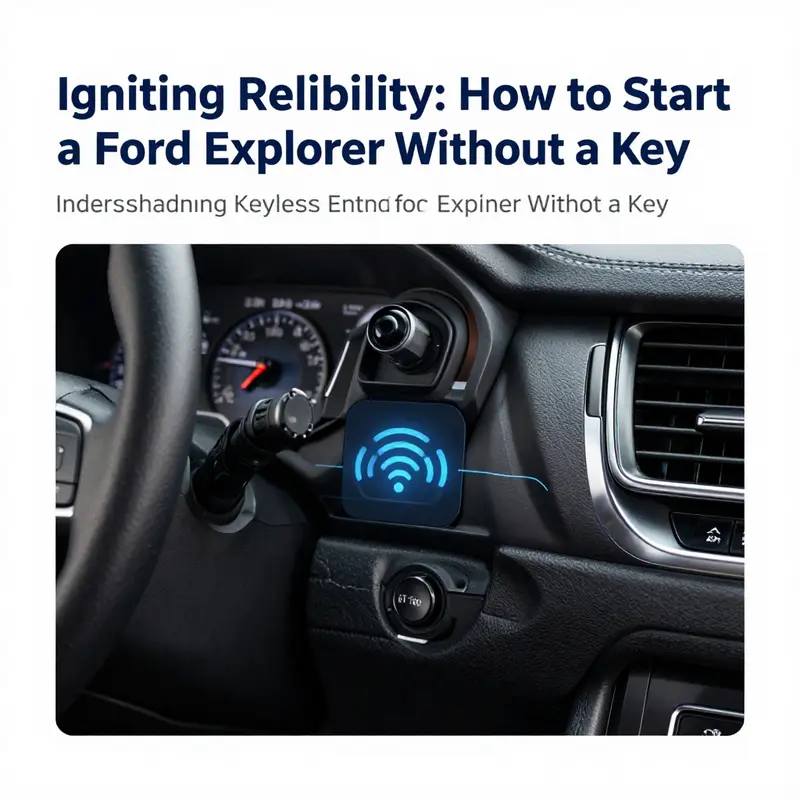
In a world where access to a vehicle is managed by digital signals and smart hardware, the moment a physical key is missing can feel like a small panic. Modern sport utility vehicles have moved beyond the old ignition cylinder, offering a seamless entry and start process that relies on proximity, authentication, and a little onboard intelligence. Yet this very sophistication can become a puzzle when a key fob dies, disappears, or simply refuses to wake up. The good news is that the vehicle is designed to maintain access under normal conditions while also providing a reliable fallback when the usual routes fail. The chapter that follows isn’t about theatrics or shortcut tricks; it’s about understanding the built in pathways that make a practical, legitimate start possible even when the items you usually rely on are unavailable. This is not a manual for mischief, but a guide to respecting the system’s security while exercising the practical steps that owners may need when life throws a dead battery or a misplaced fob into their day.
To begin with, the essence of keyless entry and push button start is a coordinated chain of signals that verify presence, proximity, and authorization. The car is not simply listening for a key in the pocket; it is actively checking a tiny, embedded credential against a secure onboard database. The credential may be held by a smart fob or, in newer iterations, by a trusted smartphone that communicates through Bluetooth or a dedicated app. This is security in motion: it allows ease of access without a bulky key ring, but it also creates a design constraint. If the system cannot verify the credential, the doors stay locked and the engine stays quiet. Understanding this helps explain why certain fallback methods exist. They are not shortcuts around the security system but intended, legitimate means to reestablish access when a battery fails or a remote is temporarily unavailable.
A common point of confusion centers around what happens when you approach the vehicle with a fob that has a dead battery. The doors may still unlock because the vehicle detects the fob’s presence at a slightly reduced read range, or because the system has stored a recent credential in a nearby memory buffer. When you actually sit inside and want to start the engine, the car’s Start/Stop activation becomes a matter of confirming that a valid credential is truly present. In practice, this means that the fob does not always need to power the entire system to be recognized. Often the smart key uses a combination of radio frequency identification and low frequency presence signals to confirm that the device is within a designated zone, typically a few feet around the vehicle. This dual approach helps prevent unauthorized ignition while maintaining convenience for everyday use. The result is a balance: you can still bring the vehicle to life without a fully functional fob, provided you follow the correct, manufacturer-approved steps and you are the rightful owner or an authorized user.
When the fob’s battery dies, there is a practical and established procedure that many owners can rely on without triggering alarms or damaging the security framework. The center console in many models includes a small kept area—a backup key slot or a protected cavity—designed precisely for this situation. The slot is not a decorative feature; it is a dedicated sensor-enabled contact that, when used properly, communicates with the vehicle’s internal systems to confirm that the fob is indeed present. The process is straightforward in description, though it bears emphasis: you open the center console storage, locate the small cover labeled with a key symbol or a backup key marker, and place the fob into the slot. The moment the vehicle recognizes the device through its RFID element, the engine can be prepared for ignition. The brake pedal must be depressed as a safety step in automatic transmissions, and only after that action should the Start/Stop button be pressed to spin the engine to life. The sequence is not a ritual to be memorized for emergencies alone; it is a built-in recovery path that respects the vehicle’s security architecture while restoring routine use for the owner.
This fallback is not a universal feature across all years and trims. Vehicle design evolves, and the exact placement or even existence of a backup key slot depends on the option package and the generation. Some models retain a traditional, mechanical key approach in addition to the electronic framework, while others rely entirely on the push button and fob detection system. The essential point is that the backup slot is a purposeful inclusion for the push button start era. It is specifically intended for instances when the fob battery dies, a scenario that otherwise could leave a driver stranded. If your model falls into this category, the procedure described—insert the fob into the slot, apply the brake, and press the Start/Stop button—offers a reliable path back to mobility. If your vehicle does not feature this slot, the manufacturers generally provide an alternative within the owner’s manual, or you can consult a service professional who can guide you through model-specific steps that preserve the security features while restoring access.
Beyond the slot and the distant magic of RFID, the broader landscape of keyless entry has grown to include smartphone-based solutions. In more recent cycles, the maker introduced an official mobile application that can unlock doors remotely, check battery status, and even initiate a remote start under certain conditions. The app is designed to work in tandem with the vehicle’s security system, ensuring that the phone remains a trusted device only when the user has a valid connection to the internet and the vehicle recognizes the device’s credentials. This remote pathway can serve as a lifeline if you discover your fob inside the vehicle but without a usable battery, or if the fob battery is dead but the phone remains charged and connected. The remote start function is powerful in the sense that it enables climate control, interior conditioning, and engine readiness without physically interacting with the vehicle. However, the remote start capability is not universally available on all trims or regions and may require initial setup and ongoing permissions within the vehicle’s security realm. As with all modern conveniences, the reliability of this route hinges on connectivity, account status, and the proper pairing of the trusted device.
For many users, this is where the experience becomes both more comfortable and more complex. The technology aims to simplify daily driving by removing the friction of fumbling for a key, yet it introduces dependencies on software and connectivity. It is worth noting that the high-level design emphasizes security first: the system will only permit remote or app-based starting when it confirms the device’s legitimacy and the vehicle’s safety state. When these conditions are not met, the in-car backup method remains the dependable fallback. The integration of NFC features in some models adds another layer of convenience, allowing a smartphone to be physically tapped against a designated area to establish proximity credentials quickly and securely. In practice, this means the lines of interaction between human intent, device authentication, and mechanical action are getting shorter, but never unsafe. The human remains in charge, but the car gains a smarter sense of who is in control and when.
As with any sophisticated system, it is sensible to be mindful of the potential for confusion or missteps. The most common misstep is attempting to force a start without recognizing the importance of the key’s credential status. The vehicle’s porosity to remote access is not a license to bypass the safeguards; it is a layered system that relies on correct procedure and authorized use. The backup slot procedure should be treated as a deliberate, manufacturer-supported fix, not a hack. Owners are advised to consult the official owner’s manual for their exact model year and trim level. If there is any doubt about whether a particular model supports the backup slot, the quickest route is to contact a certified technician or the maker’s customer support channel. At times, the precise steps can vary by year or region, and a small difference in the sequence might prevent a startup or could trigger a fault condition that requires a diagnostic check. The guidance here is to appreciate the architecture and to follow the documented method closely.
When the fob is misplaced entirely, or it’s simply not possible to access the backup slot, the options shift toward remote or assisted access. The official mobile app pathway remains a valid option if the phone is available and properly linked. With the account in good standing and the vehicle connected to the internet, several functions become accessible from a distance: locking or unlocking doors, checking status indicators, and, importantly, initiating a remotely commanded start if conditions permit. Remote starting often requires the vehicle to be in a safe state—doors closed, transmission in the correct gear, and no warning indicators on the dash. The user must also comply with local laws and vehicle usage policies, especially in environments where starting a vehicle remotely might raise safety concerns, such as confined or heavily populated spaces. If remote access is not possible due to connectivity or account issues, the fallback remains the mechanical and integration-based methods described earlier, underscoring the layered approach designed into the system.
Alongside the digital pathways, there is still a tangible, mechanical route to access and start your vehicle when a key fob is not present. Most owners keep a hidden metal blade inside the fob itself. This blade is intended to function as a manual key for emergency entry to the driver’s door. Once the driver has gained entry by either touching the door handle or using the blade, the vehicle’s interior recognition process can complete once the fob is sensed inside the cabin. After you have entered, you should still have the ability to start the engine using the push-button ignition as long as the fob remains inside the vehicle, even if the battery is dead. The core idea here is to ensure that the physical barrier to entry is not the only barrier to immobilization; the design ensures you can access the interior and reestablish the electronic presence needed to engage the Start/Stop system. The practical elegance lies in the combination of a hidden mechanical element, a protected central console area for the backup slot, and a responsive push-button ignition that looks for the exact, authenticated credential before committing to ignition.
If a backup slot is present and functioning, it is often worth practicing the sequence once when you are not in a rush. Failing to depress the brake firmly or pressing Start/Stop in the wrong order can cause the engine not to respond. A calm, methodical approach reduces the risk of alarms or fault codes being triggered by an incomplete procedure. In addition to practicing the steps, taking a moment to understand where important indicators live on the instrument cluster can help you stay oriented if the vehicle behaves differently from what you expect. The odometer, the fuel gauge, and a handful of warning lamps share space with the Digital Driver Display in the instrument cluster, and learning what each symbol means during a backup procedure can save time and frustration. This practical familiarity with the cockpit layout becomes especially valuable when time is of the essence in a parking lot or a roadside pullout.
Beyond the immediate actions, there is also the question of maintenance and preparedness. If you frequently rely on the keyless setup, routinely checking the fob battery status is a wise habit. A dying fob can be a predictable event, and anticipating it might spare you a moment of disorientation in a busy morning. Many owners opt to replace the fob battery on a schedule, ensuring the device remains within its optimal voltage window. The backup slot, in turn, benefits from the occasional inspection; the cover should open smoothly, and the slot should be clear of dust and debris that might impede contact. A small amount of care goes a long way toward ensuring that the backup method remains reliable. When you combine battery management with an awareness of app-based or NFC options and with knowledge of the manual entry method, you create a resilient set of responses to an ordinary problem that could otherwise escalate into a stressful situation.
In closing this exploration, the central message is that keyless entry and ignition systems are designed to be secure, convenient, and robust. They are not a single point of failure but a network of functions that can adapt to the absence of a physical key. The backup key slot, the possibility of a trusted mobile app, and even the smartphone’s NFC potential together form a layered strategy. The guidance is to use these tools responsibly and to always refer to the official owner’s manual for the exact steps that apply to your exact model. If questions persist or if you wish to understand the broader security design, you can consult more specialized resources that discuss door and ignition systems, including discussions on how some owners navigate protections and permissions within the security framework. For readers who want to explore related safety and security considerations, a targeted resource on this topic is linked here: How to bypass Ford PATS system without key. This link is provided for context and historical discussion and should not be interpreted as an endorsement of bypass practices in real-world settings. Always prioritize legitimate procedures, manufacturer guidelines, and the guidance of certified technicians when dealing with vehicle access and ignition.
For those seeking official, authoritative guidance, the best starting point is the maker’s own documentation and support channels. Manufacturer resources provide model-specific instructions, safety notes, and legitimate warranty considerations that reflect the system’s design philosophy and security posture. As a practical step, when time allows, check the official documentation or contact a certified service center to confirm that you are following the correct procedure for your exact year and trim level. This approach respects both the vehicle’s design and the responsibilities that come with owning a modern, connected machine that blends advanced electronics with everyday practicality. In the end, the goal is not merely to start a car without a key; it is to understand why the system works as it does and to use that knowledge to keep yourself moving safely and smoothly, even when the unplanned interruption of a dead fob or misplaced key occurs.
External reference for additional context and official guidance can be found at the manufacturer’s site: https://www.ford.com.
Final thoughts
Mastering the methods of starting your Ford Explorer without a key enhances operational competence for business owners. Whether leveraging the backup key slot, utilizing the emergency mechanical key, or understanding the advanced keyless entry systems, having this knowledge is invaluable. It ensures continuity and accessibility, safeguarding the flow of your daily business operations. Whenever you’re faced with key fob challenges, remember that access is still within reach.