
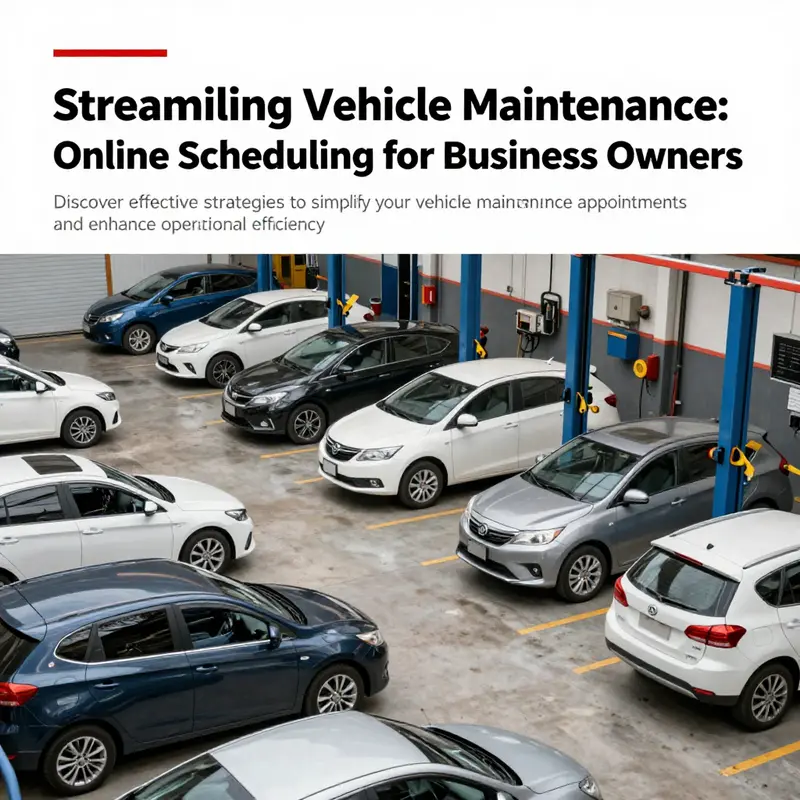
For business owners, maintaining a reliable fleet is essential to operational success. Scheduling regular vehicle maintenance appointments online has revolutionized this process, offering unparalleled flexibility and efficiency. This article breaks down how you can leverage manufacturer apps, navigate official websites, and utilize third-party platforms for seamless booking. Each chapter provides insights tailored to help business owners effectively manage their vehicle upkeep, ensuring your fleet remains in optimal condition without disrupting your busy schedule.
Chapter 1: Scheduling with Manufacturer Apps—Turning Online Maintenance into a Reliable Routine
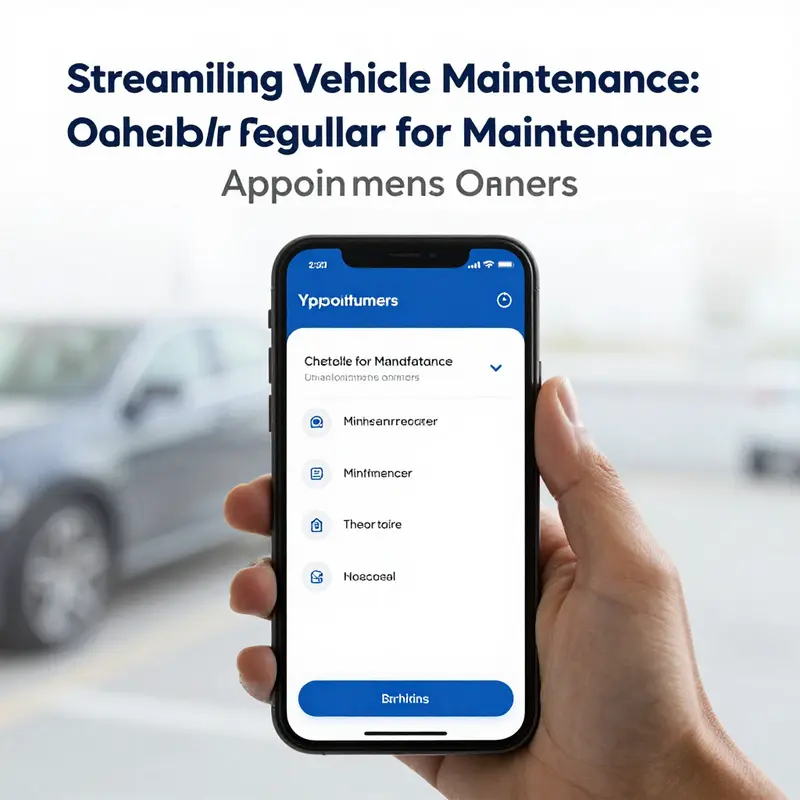
Access to regular vehicle maintenance has shifted from a paper checklist and phone calls to a fluid, app-driven process that lives in your pocket. The chapter you’re reading traces how manufacturer-backed apps transform a routine, sometimes tedious chore into a predictable, transparent, and even anticipatory part of car ownership. Instead of guessing when to service or where to go, drivers can navigate a connected ecosystem that aligns maintenance with the car’s actual needs, ongoing usage, and the factory’s recommended timelines. This isn’t just about booking a service; it’s about integrating maintenance into the normal rhythm of owning a vehicle, so the car remains dependable, safe, and efficient without dragging you into administrative detours.
At the core of this approach is a secure, device-native link between the car and the service network. When you first connect your vehicle to the official app, the car’s identification data—its unique VIN, model year, mileage, and sometimes its recent service history—become part of a living profile. The app reads that data through a direct channel, enabling a tailored maintenance plan that reflects the car’s built-in requirements and the owner’s actual driving patterns. The result is a schedule that feels engineered for your specific vehicle rather than a generic checklist slapped onto a one-size-fits-all maintenance calendar. This specificity is subtle but powerful: it means oil-change intervals can be aligned with the exact miles you’ve driven and the operating conditions you’ve faced, rather than relying solely on a static interval.
Navigating the scheduling flow within these apps is designed to be intuitive and fast. A single screen typically reveals a concise menu of maintenance categories, from routine oil changes and brake inspections to tire rotations and broader diagnostic checks. Each selected service is described with its typical scope—what’s included, how long it usually takes, and what it costs—so you aren’t left guessing what you’re paying for. Importantly, the app also presents a menu of service centers that are officially authorized to work on your vehicle. Rather than scanning a long list, you can filter by proximity, by available times, or by user ratings that reflect real customer experiences. The goal is to match a time slot that fits your calendar with the most convenient shop, preferably one that can perform the requested services with genuine parts and technicians trained for your vehicle’s make and model.
A quiet strength of the manufacturer app is its ability to customize the appointment around real-time conditions. Availability isn’t a static feed; it adapts to today’s demand, upcoming holidays, and the shop’s capacity. If a preferred slot is temporarily unavailable, the app usually suggests alternatives that still respect your stated constraints, such as a nearby time window or a different location that’s equally equipped to handle the service. This dynamic scheduling helps minimize the back-and-forth that used to characterize appointments, turning what used to be a multi-step process into a matter of a few taps. If you’ve ever felt unsure about what needs to be done during a visit, the app often explains the rationale behind each service in plain language, helping you understand not just what is being done, but why it matters for long-term reliability and safety.
Beyond booking, the breadth of features across manufacturer apps makes maintenance feel built for proactive ownership rather than reactive trouble-shooting. You can often view a living history of completed work—from past oil changes to battery checks—so you have a persistent record for resale value and warranty claims. Some apps even enable you to pre-approve service requests. In practical terms, this means you can authorize the technician to proceed with necessary diagnostics or repairs when the vehicle arrives at the shop, cutting waiting time and preventing delays caused by on-site approvals. This kind of pre-authorization aligns with the modern expectation of speed and efficiency, turning the service bay into a continuation of the digital experience rather than a separate, offline step.
Reminders are another standout feature of the ecosystem. When you schedule an appointment, the app typically sends confirmations via your preferred contact method and will nudge you as the date approaches. These reminders aren’t just reminders; they’re prompts that help maintain a consistent maintenance cadence. Real-time status updates, where available, can be especially reassuring. Some apps offer live progress tracking so you can see when the car is being inspected, when parts are ordered, and when the vehicle is ready for pickup. The visibility eases the cognitive load of maintenance. It also creates a clear paper trail—digital records that can be pulled up for future service planning, warranty checks, or proof of maintenance during a sale.
The beauty of this approach is its consistency across the lifecycle of ownership. From the moment you buy a car, the app becomes a hub not just for scheduling, but for understanding what your car needs next. The system’s recommendations are anchored in factory guidelines, which are repeatedly validated against the car’s actual operating data. In practice, this means fewer unnecessary visits and more timely interventions—preventive steps that prevent minor issues from becoming major repairs. It’s not merely convenience; it’s a relationship between car and care that grows more precise as the vehicle accumulates miles and experiences.
When you’re ready to schedule, the interface typically emphasizes two core ideas: accuracy and transparency. Accuracy matters because the vehicle’s details influence a wide range of decisions—from the exact service package to the availability of certain appointment windows and even the choice of authorized service centers. The app often prompts you to verify the VIN, license plate, current mileage, and contact information. Correct data helps technicians pull up the correct service history and factory-recommended intervals, ensuring that a service visit isn’t built on guesswork. Transparency matters because every step of the process—from which services are included to the estimated cost and duration—is laid out before you confirm. You don’t have to call a showroom to ask for a price quote or a time estimate; it’s visible on the same screen where you pick the service.
For those who need to communicate a particular concern before arriving, many apps include a field to attach notes or even upload photos of issues you’ve noticed. A dashboard image of a braking system concern, a rattling noise, or a warning light can provide early context to the technician, enabling more precise scoping and possibly a quicker turnaround once the car is in the bay. This feature isn’t a mere convenience; it’s a practical bridge between home diagnostics and in-shop work. When paired with digital service history, a photo-rich pre-visit note helps the service team prepare with the right parts and the right diagnostic plan, reducing the triage time upon arrival.
If you step back and look at the ecosystem as a whole, you’ll notice that it is designed for trust and continuity rather than isolated transactions. The official app ecosystem is not a one-size-fits-all scheduling tool but a personalized extension of the vehicle’s lifecycle. It uses your vehicle’s data to tailor maintenance, lists only authorized centers to protect your warranty and ensure part integrity, and presents you with a transparent, predictable path to keep your car performing at its best. The integration with the vehicle’s data is what elevates this from convenient scheduling to a genuine maintenance strategy—one that respects the car’s engineering and your time.
To tie this back to practical understanding, consider the value of the linked resource that explains what maintenance encompasses for vehicles of various ages and conditions. If you want a concise primer on the broader concept of vehicle maintenance and what it covers, you can explore this explanation: What is vehicle maintenance?. It helps illuminate how the digital scheduling flow connects to the actual care your car requires, reinforcing that online scheduling isn’t abstract—it’s a deliberate mechanism to keep the car running safely, efficiently, and reliably over the long haul.
An external resource that frames the broader context of connected maintenance and service scheduling can provide additional depth for readers who want a more formal, outside-the-car perspective. For instance, the official portal for connected maintenance services describes how these systems integrate with vehicle data, the service network, and customer communications to deliver a smoother ownership experience. See the official connected-car service portal for further detail: https://www.bmw.com/en/owners/connectdrive. While this chapter stays focused on the practical in-vehicle and app-based workflow, the external resource offers a useful backdrop for readers who want to understand how manufacturer-driven maintenance scheduling fits into a larger ecosystem of digital vehicle care. The key takeaway remains consistent across sources: the best way to schedule regular maintenance online is to use the manufacturer’s own system, because it aligns with factory guidance, supports genuine parts, and preserves the integrity of your vehicle’s history.
In sum, using the manufacturer app to plan, schedule, and track maintenance is more than a time-saver. It’s a disciplined approach to car care that reduces friction, enhances transparency, and makes the long arc of ownership more predictable. The app’s integration with your vehicle creates a maintenance cadence that reflects what the car actually needs, not what someone assumes it needs. It turns routine service into a dependable, low-drama habit, helping owners stay ahead of wear and tear while keeping the experience of driving calm, confident, and enjoyable. As you move to the next chapter, you’ll see how this scheduling discipline translates into comparisons across platforms and how to choose a path that aligns with your driving life, your budget, and your expectations for reliability.
Mastering Manufacturer Websites: Smart Online Scheduling for Regular Vehicle Maintenance
Mastering Manufacturer Websites: Smart Online Scheduling for Regular Vehicle Maintenance
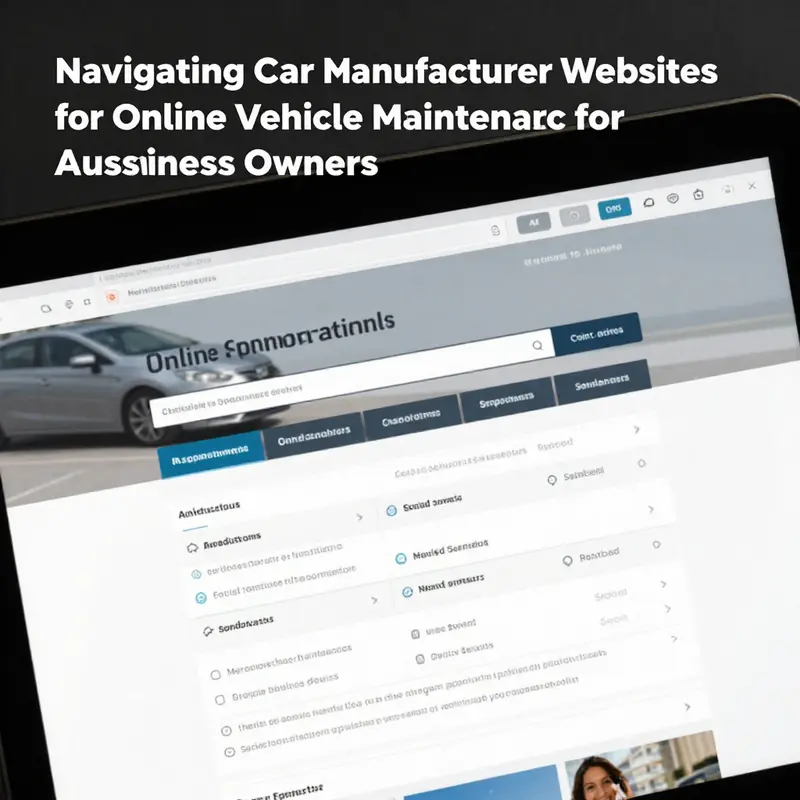
Navigating a car maker’s official website to schedule regular maintenance can feel intimidating at first, but once you understand the common layout and tools, it becomes the fastest path to consistent, reliable care for your vehicle. Manufacturer portals are designed to store vehicle-specific data, recommend services tied to mileage and usage, and connect you directly with certified service centers. The key is learning how to use those features deliberately so each booking saves you time and reduces the chance of unexpected costs.
Begin by ensuring your vehicle is registered in the manufacturer’s online system. Registration links your Vehicle Identification Number (VIN), mileage, and warranty details to your account. This connection unlocks tailored service recommendations and often lets the service center see your vehicle history before you arrive. If you haven’t registered, the process usually asks for a VIN and a few ownership details. Take care when entering the VIN and contact information; a single typo can place service reminders on the wrong schedule or prevent the system from locating your warranty status.
Once registered and logged in, locate the service or maintenance area. Most sites present a scheduling tool that guides you through selecting the service type, a service location, and an available time slot. The interface typically offers recommended services based on recorded mileage and past maintenance. Those recommendations are a good starting point, but you can edit selections to add specific requests such as fluid checks, tire rotations, or a diagnostic scan. When in doubt, choose the diagnostic option; it lets technicians confirm which items need attention and avoids unnecessary work.
Choosing the right service location matters. Manufacturer websites list authorized dealerships and certified service partners, often with filters for distance, availability, and customer ratings. Pick a location that balances convenience and reputation. If you rely on manufacturer-trained technicians or factory parts for warranty reasons, select an authorized location rather than a third-party shop. The site will usually display the shop’s address, hours, and any amenities that matter to you, such as loaner vehicles or shuttle services.
Scheduling tools show real-time availability. Use that visibility to lock in a time that fits your calendar and the shop’s workload. Morning appointments can be faster because technicians start with fresh bays, while midweek slots may be less busy than weekends. If your schedule is flexible, choose quieter days to reduce wait time. Some portals also let you request a specific technician or indicate preferences like a quick oil change lane—use those options sparingly and only when they genuinely impact the service you need.
A useful feature on many manufacturer sites is the ability to upload photos and describe symptoms before the appointment. This saves time because the service advisor can triage issues and prepare parts ahead of your visit. For instance, a clear photo of an illuminated dash warning or a description of a recurring noise helps technicians prioritize diagnostics. Write concise, factual notes: when the issue started, any patterns you noticed, and recent related repairs. Accurate descriptions reduce back-and-forth communication and help the shop give a realistic estimate of time and cost.
Confirming appointment details is a small step that prevents headaches. After booking, verify the date, time, location, and scope of work in the confirmation screen. Most portals send an email or text confirmation; keep that message until after your visit. If the site offers calendar integration, add the appointment to your personal calendar to avoid double-booking. On the day of service, arrive a few minutes early with any necessary documents—proof of ownership, insurance, or warranty papers—so the advisor can start paperwork immediately.
Manufacturer sites often include estimated pricing or package breakdowns. Use these to budget for routine items like oil changes and brake inspections. If final pricing is not shown, request an estimate through the portal or ask the service advisor to provide a ballpark figure before work begins. Some portals allow you to pre-authorize standard services, which speeds up completion but avoid authorizing anything you don’t understand; always ask for an itemized explanation if something looks unfamiliar.
Digital reminders and service history are two of the strongest benefits of using a manufacturer portal. The platform will often log completed services, note warranty claims, and trigger reminders based on mileage thresholds or time intervals. Reviewing this history before booking helps you avoid duplicating work and gives a clear picture of when certain components were last serviced. Over time, that record becomes a valuable asset for maintaining vehicle longevity and for resale value, as prospective buyers can see consistent, documented upkeep.
Security and privacy deserve attention when you enter personal and vehicle information online. Choose strong, unique passwords for the manufacturer’s portal and enable two-factor authentication if available. Keep your account email current so reminders and confirmations arrive reliably. If you share a household account for multiple vehicles, create separate profiles or use clear naming conventions so appointments and service records do not get mixed up.
Some manufacturer websites support virtual consultations or pre-service video chats. These can be useful when you want a technician to assess a problem before you commit to a visit. Virtual sessions let you show symptoms in real time and get a preliminary assessment, which can reduce unnecessary visits and expedite parts ordering. Use this option when symptoms are clear and can be demonstrated visually, or when a technician’s initial input will shape whether a diagnostic appointment is needed.
Predictive maintenance features, powered by data analytics, are increasingly common. When enabled, these tools analyze mileage patterns and onboard diagnostics to recommend service before a breakdown. Treat predictive alerts as prompts for a focused check rather than absolute diagnoses. They are most valuable when combined with your own observations—for example, scheduling a brake system check after receiving an alert and noticing increased pedal travel.
If you prefer to book through a desktop rather than mobile, the website interface often provides more detail, including downloadable checklists and PDF estimates. Use that space to print pre-appointment checklists or downloadable maintenance records. If you use a mobile device, the site usually offers push notifications and quicker on-the-go booking, which is handy for last-minute schedule changes.
Cancellations and rescheduling should be straightforward on manufacturer portals. Check the cancellation policy when booking; some shops request 24-hour notice to avoid fees. If you need to change the appointment, update the booking through the portal so the service center receives the change immediately. Avoid calling only; online changes are logged and reduce the chance of miscommunication.
Electric and hybrid vehicles have scheduling nuances. These platforms will often separate high-voltage system checks and battery-related services from conventional maintenance items. When booking, specify the vehicle type and any unique service needs. Authorizations for battery diagnostics or specialized parts may take longer, so plan those appointments with extra lead time.
Finally, treat the manufacturer website as a living tool rather than a one-time convenience. Regular use keeps your service history up to date, ensures timely reminders, and strengthens the relationship between you and your service provider. When you rely on the portal for scheduling, you gain a predictable rhythm for upkeep, clearer visibility into costs, and better protection of warranty coverage.
For a concise primer on why regular upkeep matters and what routines to expect, review this helpful explanation of vehicle maintenance.
External reference: https://www.ford.com/owners/service/schedule-service/
How Third-Party Platforms Streamline and Secure Your Online Vehicle Maintenance Scheduling
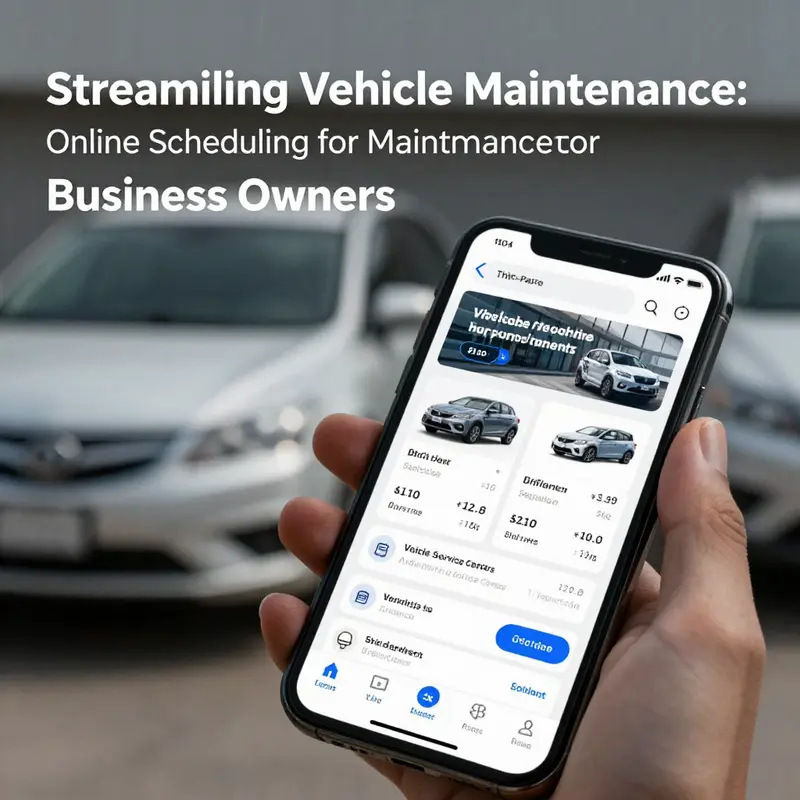
Third-party platforms have reshaped how drivers schedule regular vehicle maintenance online. They act as digital marketplaces, matching car owners with service providers, and simplifying choices through comparison, scheduling, and record keeping. When you rely on these platforms, you trade time-consuming phone calls and guesswork for a guided, trackable process. This chapter explores how they work, the concrete benefits they offer, practical pitfalls to watch for, and how to use them in concert with manufacturer channels to keep your vehicle in peak condition.
At the core, third-party platforms collect service provider data and present it in a searchable, comparable format. Users can filter by distance, service type, available times, and price. This single interface reduces friction. Instead of searching multiple websites, you see options side by side and book the slot that best fits your schedule. Many platforms add customer ratings and written reviews. These insights reveal recurring strengths and weaknesses of shops, letting you avoid unreliable providers and prioritize transparency and quality.
Beyond simple listings, modern platforms standardize service descriptions and pricing. Standardization reduces ambiguity about what a given service actually covers. For example, an oil change listed on the platform will typically specify fluid type, filter replacement, and any inspections included. Clear service definitions protect consumers from unexpected upcharges and make it easier to compare value across shops. Platforms often display estimated completion times as well. Knowing how long a service might take helps you plan alternative transport or align the appointment with other errands.
Automation and reminders are practical strengths that help you stay on schedule. Once you book, the platform usually sends confirmations and automated reminders by email or message. Some offer calendar integrations so the appointment appears in your device with a single tap. This reduces no-shows and late arrivals, which benefits both vehicle owners and service centers. Platforms often retain your vehicle profile and service history. That digital record makes it easier to repeat recurring services and verify that recommended maintenance occurred on time.
Integration with vehicle telematics and diagnostic feeds is an emerging capability. When connected, the platform can receive mileage data and maintenance alerts directly from the vehicle. This enables more accurate scheduling based on actual use rather than generic timelines. Predictive alerts—triggered by mileage thresholds or diagnostic trouble codes—can appear in the platform, encouraging timely intervention. Predictive scheduling reduces the chance that minor issues become major repairs, and it helps maintain vehicle resale value.
Another important aspect is partnership with certified mechanics and franchised dealers. Reputable platforms curate networks of vetted providers. Vetting typically covers certifications, licensing, and customer service performance. Some platforms back their appointments with guarantees, including warranties for labor or parts. These assurances increase trust and reduce the perceived risk of using an unfamiliar shop. For many users, the peace of mind that comes from a vetted network is a decisive benefit compared with calling independent shops without any background information.
Price competition is a natural outcome of aggregation. When multiple providers compete on the same platform, pricing tends to become more transparent and competitive. Promotions and bundled packages often appear, allowing drivers to save on routine maintenance by booking through the platform. At the same time, watch for unusually low prices that may omit essential items, such as OEM-equivalent parts or required inspections. Use the service descriptions and reviews to confirm that a low price still meets your quality expectations.
User experience varies across platforms, and that variation matters. A well-designed interface minimizes the steps needed to book. Look for platforms that let you store vehicle information securely, including VIN and typical service preferences. Platforms that allow photo uploads can be particularly helpful when you want technicians to inspect a visible issue in advance. Clear cancellation and rescheduling policies matter too. The ability to modify an appointment without penalty supports busy schedules and reduces the stress of committing to a time.
Security and privacy deserve attention. Platforms collect vehicle details, personal contact information, and sometimes payment data. Choose services that use secure payment gateways and clear privacy policies. Check whether the platform shares data with service providers, and whether it stores vehicle records indefinitely. If you lease your vehicle or manage a fleet, pay special attention to how records affect warranty claims and lease return obligations.
Compatibility with manufacturer channels is another practical issue. Manufacturer apps and websites often provide the most specific maintenance guidance and ensure access to brand-approved parts. Third-party platforms can complement these official channels by expanding choices and improving convenience. Use the manufacturer’s recommendations as a baseline for what services your vehicle needs. Then use the third-party platform to find convenient slots and compare trusted service centers. If warranty compliance is a concern, verify whether work booked through a platform will meet manufacturer warranty requirements.
Third-party platforms also improve transparency through digital service records. When a shop logs completed work on the platform, that entry becomes a timestamped record. These records are helpful for tracking routine maintenance and proving service history during resale. They can also help you spot patterns, such as frequent brake-pad replacements or recurring check-engine codes. With a consolidated service log, you can present a clear maintenance history to prospective buyers, lenders, or leasing agents.
Despite these strengths, there are pitfalls to consider. Not every listed provider offers consistent workmanship. Ratings can be manipulated, and sponsored listings may appear higher in search results. Always read recent reviews and note recurring complaints. Confirm the qualifications of technicians for specialized work. For complex repairs, call the shop directly after booking to discuss the issue and ensure the right tools and parts will be available.
Timing and availability can also mislead. A platform might show a time slot as available but then send a confirmation that differs. This usually happens when platforms synchronize availability with shops in near real-time. To avoid scheduling surprises, check confirmation messages and save them. If the platform offers appointment protections, such as guaranteed appointment windows or refunds for canceled work, those features add protection against scheduling errors.
For drivers who value convenience, integration with communication apps can be useful. Some platforms offer in-app chat or SMS messaging with the service center. Use these channels to share photos of dashboard lights or describe unusual sounds. Clear pre-visit communication helps technicians prepare, which can shorten service times and reduce diagnostic uncertainties. Good communication also reduces the chance of unnecessary labor charges.
Looking ahead, third-party platforms will likely become more proactive. Expect AI-driven predictive maintenance, smarter scheduling that reduces wait times, and deeper integration with vehicle systems. Platforms may evolve into comprehensive vehicle health hubs, offering everything from maintenance scheduling to parts ordering and repair tracking. For now, they already offer tangible value for everyday scheduling and routine maintenance management.
To make the most of these platforms, maintain a simple routine. Keep your vehicle profile current, confirm appointments, read recent reviews, and save service receipts. Use platform records alongside manufacturer guidance. If a platform lists warranties or guarantees, record their terms before scheduling. For leased or heavily used vehicles, use the platform’s digital log to support warranty or lease return claims.
If you want a quick primer on why routine maintenance matters for costs and efficiency, see the guide on how vehicle maintenance saves on gas expenses. It explains how regular upkeep links directly to operating costs and fuel efficiency.
For authoritative guidance on maintenance best practices and safety, consult federal resources like the National Highway Traffic Safety Administration for up-to-date recommendations: https://www.nhtsa.gov/vehicle-maintenance-and-safety
Scheduling with Confidence: Best Practices to Book and Verify Regular Vehicle Maintenance Online
Practical habits that ensure accurate online maintenance bookings
Booking regular vehicle maintenance online saves time. It also reduces stress and helps prevent expensive surprises. But convenience can backfire without careful habits. This chapter lays out a single, integrated approach so every appointment you schedule online is accurate, useful, and reliably executed.
Start by establishing a single source of truth for your vehicle details. Create and maintain a digital record that includes the vehicle identification number, current mileage, license plate, and model year. Keep photos of the dashboard displaying current mileage when you record it. These simple records eliminate guesswork when entering details into an online booking form. They also protect you against mistaken service recommendations that do not match your vehicle’s needs.
Next, choose a trusted booking channel and stick with it. Manufacturer platforms and authorized service networks usually provide the most precise schedules. Approved systems draw on your vehicle’s specific maintenance intervals. They also let technicians see factory-recommended tasks and available technical bulletins. If you must use a third-party site, select one that is endorsed by your dealer. Consistency matters: booking through the same, trusted platform keeps your service history linked and simplifies follow-up work.
When completing the appointment request, be deliberate with service selection. Online menus often show grouped packages alongside single-service options. Read the brief descriptions. Match the chosen services with your vehicle’s recommended items for the current mileage or time interval. If you are unsure, select a basic inspection or diagnostic as part of the appointment. That ensures a technician will assess the vehicle and advise on any additional work before performing it.
Provide clear, specific notes about the vehicle’s behavior. Instead of writing “noises” or “problems,” describe where you hear a sound and under what conditions. Example: “squeal from front right when braking at low speed” is far more actionable than a vague complaint. Most online systems allow photo uploads. Use them. A photo of a warning light or a worn tire sidewall goes a long way toward helping the service team prepare tools and parts ahead of your arrival.
Verify the appointment details before you confirm. Take a moment to read the scheduled date, time, and location out loud to yourself. Confirm that the listed service center has the correct address and is authorized for your vehicle’s brand. Look for an estimated duration so you know how long your vehicle will be in the shop. If pricing is displayed, review it and note whether labor and parts are included. If cost breakdowns are missing, request a follow-up call or message. Confirming these details reduces the chance of unexpected charges when you drop off the vehicle.
Use the communication options the platform provides. If there is a chat function, ask a technician to confirm the checklist for the appointment. If there is a place to request a callback, use it to verify whether specific parts are in stock. Digital confirmations by email or SMS are helpful for records. Save them in a dedicated folder or note so you can easily reference appointment times and the agreed services.
Take advantage of automated reminders and calendar integrations. Most scheduling systems can send reminders through email, SMS, or app notifications. Accept calendar invites so the appointment appears in your daily schedule. These reminders prevent last-minute conflicts and reduce no-shows. If your schedule changes, use the online reschedule option rather than calling. Rescheduling through the same system keeps the service center updated and preserves your spot in their workflow.
Pay attention to technician qualifications and facility accreditation. Online platforms often list certifications and review scores. Choose a technician with credentials for your vehicle type whenever possible. Certified technicians follow diagnostic protocols and use recommended procedures. This lowers the chance of repeat repairs and helps maintain warranty compliance. If certifications are not visible, ask for them in the appointment notes or request an advisor to confirm the technician assigned to your vehicle.
Manage parts and warranty expectations proactively. If your vehicle is under warranty or covered by a service plan, upload proof at the time of booking. Note whether you expect the repair to be covered. When scheduling, ask the service center to confirm parts availability. If an appointment requires manufacturer-specific parts, request a lead time estimate. This avoids the frustration of delayed repairs after you have already dropped off your vehicle.
Keep a living log of completed services within the platform when possible. Use the service history feature in your account to check past items and future due dates. If the online system integrates with your vehicle’s telematics, allow that connection so recommended services can be tailored to driving habits. When platforms do not integrate automatically, manually upload receipts and service reports to your personal maintenance folder. A consolidated record helps you spot patterns and prepares you for future bookings.
When you arrive for service, use your confirmation as the basis for discussion. Present the appointment confirmation on your phone and restate the main concerns. Verify that the adviser has the same list of tasks. Ask whether any auxiliary checks, such as fluid condition or diagnostic scans, are included. If a pre-service inspection is performed, request that the adviser call before proceeding with any additional repairs. Clear verbal confirmation at drop-off prevents unexpected expansions of the job when the vehicle is already in the shop.
After service, review the completed work and the final invoice. Compare the invoice to the original online booking details. Confirm that mileage was recorded correctly and that listed tasks match the services you authorized. If something differs, request an explanation and an itemized report. Keep digital copies of the invoice and any inspection notes in your maintenance log. This documentation is essential for warranty claims and supports resale value when you sell the vehicle.
Build routine by scheduling recurring maintenance online. If your platform allows, set service intervals to recur at the recommended mileage or time. Recurring appointments reduce the risk of missed checks and maintain consistent upkeep. If your driving patterns change, adjust the recurrence accordingly. For example, increase frequency if you add heavy towing or frequent short trips. Routine scheduling ensures your vehicle sees service at the right intervals.
Finally, cultivate a habit of feedback. After each visit, leave a concise review focused on whether the online booking matched the actual service. Mention accuracy of the appointment time, clarity of the service description, and whether technicians were prepared. This feedback helps service centers refine their online processes. It also helps other drivers choose reliable providers.
If you want a primer on what belongs in a maintenance plan, see this guide on what is vehicle maintenance. It outlines core tasks and intervals that should appear in any online scheduler. For industry guidance on technician certification and standards, consult the National Institute for Automotive Service Excellence: https://www.ase.com
Follow these practices to make online scheduling predictable and accurate. Consistent records, clear communication, and careful verification turn a simple booking into reliable vehicle care. Over time these habits protect your investment and keep your car performing well.
Final thoughts
In a fast-paced business environment, scheduling regular vehicle maintenance appointments online presents a valuable opportunity for efficiency and reliability. By utilizing manufacturer apps, navigating official websites, and exploring third-party platforms, you can ensure timely maintenance without the hassle of traditional methods. Focus on the best practices highlighted here to secure your vehicle’s performance and longevity. Ultimately, a well-maintained fleet translates to enhanced operational effectiveness and peace of mind.