
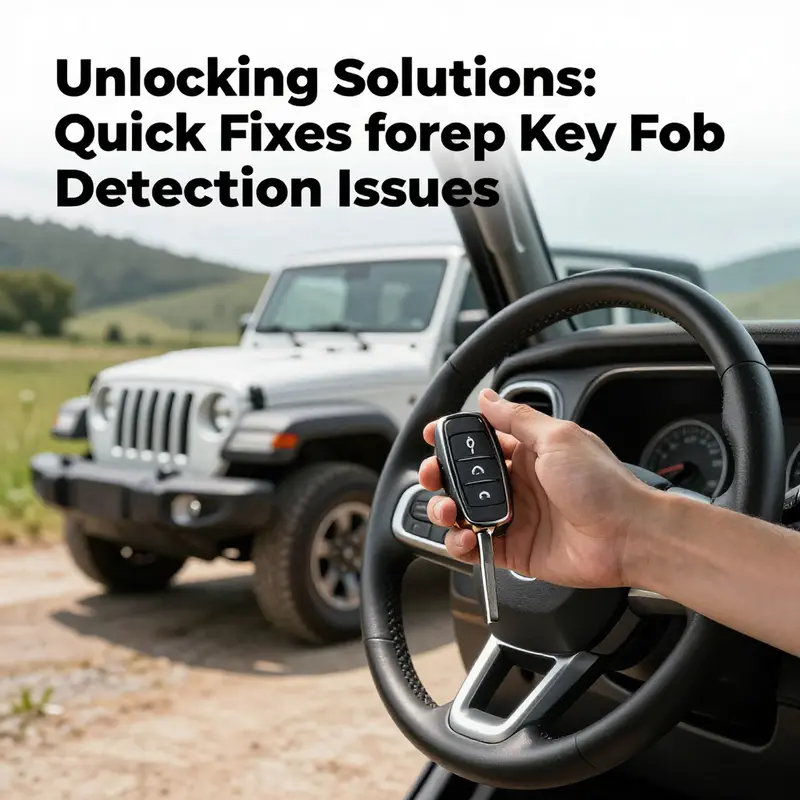
Experiencing a ‘Key Fob Not Detected’ message can be a significant hurdle for Jeep owners, especially business operators who rely on their vehicles for day-to-day activities. Such an issue not only delays your schedule but can potentially affect productivity. Understanding how to quickly address this problem is essential. This guide delves into three key areas that will empower Jeep owners with practical solutions. From verifying the key fob battery to repositioning the key itself and exploring reset techniques, this article aims to equip you with the knowledge to troubleshoot and resolve detection issues expediently.
Fresh Power, Fast Access: Verifying the Key Fob Battery as a Quick Jeep Not Detected Fix
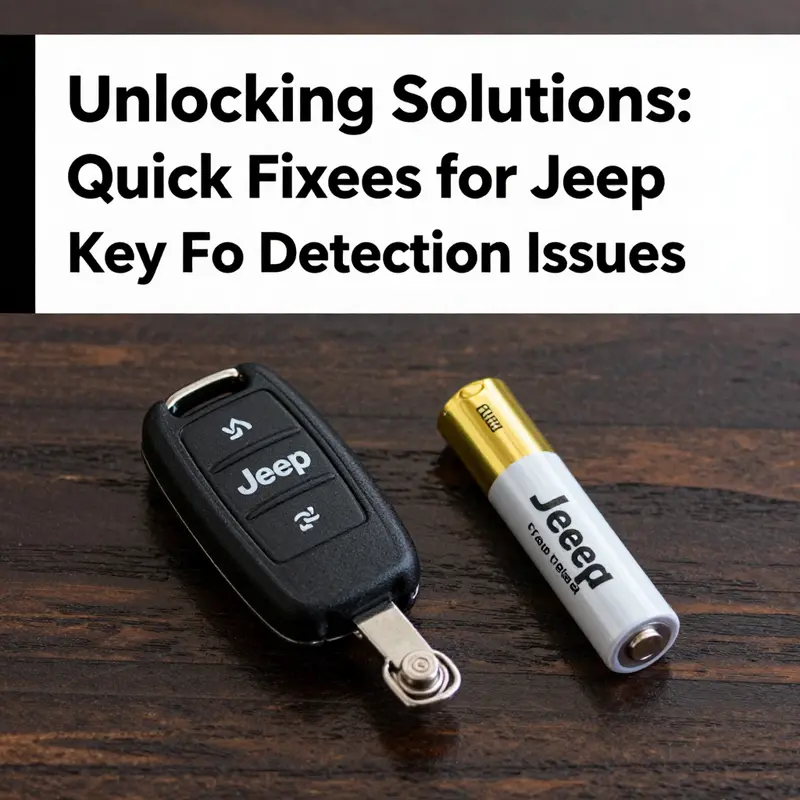
When the ignition screen flashes with a stubborn message like Key Fob Not Detected, the moment can feel like a roadblock before the day even begins. The vehicle sits there, weighing the certainty of a ride against the frustration of a missing signal. In many cases, the culprit is surprisingly simple: the battery inside the key fob has waned. This is especially true for Jeeps, where the receiver and the fob must communicate through a short radio pulse to wake the vehicle’s entry and start functions. Before chasing more complex problems such as a damaged receiver module or internal wiring, the most effective first step is to verify the battery’s health and perform a quick replacement if needed. This approach aligns with the idea that the majority of not-detected issues are a battery problem in disguise, and addressing it head-on can save time, money, and unnecessary anxiety.
The logic behind this approach is practical and grounded in how fobs and vehicles interact. The fob does not continually transmit a loud, continuous signal. Instead, it sends out a compact burst when you approach, touch the door handle, or press the start button. If that burst is weak because the battery is old, the receiver on the Jeep may not pick it up reliably. The result is a moment of doubt as you stand at the door, fob clenched in hand, wondering whether the car will acknowledge your presence. The first instinct should be to confirm that your power source—the fob battery—is providing a crisp, consistent energy flow. If it is, you can start to explore more nuanced issues like interference or re-pairing procedures, the latter of which can vary across model years and trims.
From a driver’s perspective, battery verification is one of those tasks that feel almost ritualistic in its simplicity. You can approach it with the calm confidence of a checklist, knowing that you are addressing the most common bottleneck in the chain of communication between a fob and a Jeep. The battery’s health governs the strength of the signal, which in turn shapes how easily the vehicle detects the fob for locking, unlocking, and starting. When you replace a weak battery, you often restore a sense of normalcy that the car’s owner’s manual promises is possible with the right sequence of basic steps. The emotional uplift that comes with hearing the engine hum to life or the door locks responding to a press is, in many ways, the reward for doing the straightforward maintenance that every Jeep owner should know.
Although the focus here is on battery verification, it is important to keep in mind the broader context. Some models require a particular type of coin-cell battery, and the exact procedure to replace it can differ depending on the trim and year. If you are unsure, consult the official owner’s manual or the Jeep support resources for your exact configuration. These references are designed to guide you to the right battery type and replacement steps, helping to prevent accidental damage to the fob or the vehicle’s entry system. In the meantime, your immediate goal is to confirm that the most common failure point—the battery—is not the culprit. This emphasis on a quick, verifiable fix is what makes battery checks a reliable first move in the quest to cure a “not detected” message.
To approach the problem methodically, begin with the simplest test: fresh power. You do not need a toolkit or specialized equipment; just a new battery of the appropriate type, a small amount of care, and an understanding of how the fob is housed. If you notice that the fob’s badge or buttons are sticking or that the housing feels loose, the battery replacement becomes even more crucial, because a damaged case can affect the seal and allow moisture or dust to compromise the circuit. This is where the investigation shifts from power to protection: you are ensuring that the fob’s electrical supply is solid and that the external shell remains a protective home for the delicate electronics inside.
As you move through the process, remember that much of the value in this quick fix lies in prevention. A battery replacement performed before you need to rely on the jeep’s remote features can prevent the scenario in which you are stranded at the curb with a vehicle that refuses to respond. This proactive approach fits neatly into the broader philosophy of quick, practical fixes that keep modern vehicles moving without uncovering deeper, more complex faults. The goal is not merely to make the car work today but to establish a reliable baseline for tomorrow’s drives, reducing the chances of another unexpected hiccup that interrupts your plans.
With this in mind, the next segment of the narrative follows a practical, hands-on path. You will learn how to locate, remove, and replace the battery in a typical Jeep key fob—without assuming a particular model year or trim. You will learn how to handle the fob with care, how to verify the new power source, and how to test the vehicle’s response after the swap. The steps are straightforward, and the effect is immediate: a brighter, more confident signal from the fob that translates into swift, reliable access to your Jeep. And if this quick fix works, you gain not only a functioning vehicle but also peace of mind—the sense that you have mastered a key routine of modern car ownership.
If you want to explore a related scenario where the fob seems to have left the vehicle altogether, you can read about it in more detail at this linked resource: key-fob-has-left-the-vehicle-what-you-need-to-know. This broader perspective helps to frame the battery check as a foundational step, a prerequisite before delving into more elaborate troubleshooting. For model-specific steps that may vary, you should refer to the Jeep Owner’s Manual or the official Jeep support site. These sources provide guidance tailored to your exact configuration and ensure you are following steps that are consistent with factory recommendations.
The practical takeaway is simple: start with the simplest, most likely cause. If the fob’s lights dim when you test it, or if you feel the fob’s button press isn’t delivering the same force as before, the battery is the logical suspect. Replacing a weak battery is inexpensive, quick, and often completely restorative. The cognitive load is light, and the payoff—the quick return to normal driving—can be substantial. This is why battery verification is often described in repair guides as the best first move when a Jeep or any modern vehicle reports a Not Detected condition. It is a concrete action you can take immediately, with a high probability of success, that does not require the vehicle to be in a shop or for a technician to connect to a diagnostic system.
The remainder of the chapter weaves these ideas into a practical, memorable narrative you can carry into the garage. It emphasizes careful handling of the fob, a straightforward battery replacement, a mindful test of vehicle response, and a cautious approach to more involved troubleshooting if the problem persists. You will notice that the cadence of the guidance mirrors the way people actually solve problems in the real world: start with the simplest, most reliable fix, validate the result, and then escalate only if necessary. In the end, the goal is not just to fix a single symptom but to empower you to handle a family of similar issues with confidence, clarity, and a clear sense of what to check first.
As we bring this focus on battery verification to a close, it is worth reiterating the practical constraints. Battery type confirmation must come from a reliable source—your owner’s manual or the official Jeep support pages—and when in doubt, you should seek professional help. A battery replacement remains the most economical, fastest, and lowest-risk fix for a not-detected message, particularly when you consider the potential costs of diagnosing a faulty receiver or sensor array. Yet this chapter’s insistence on verifying the fob battery first is not mere ritual. It is a disciplined, evidence-based approach rooted in real-world experience with modern vehicles, where a tiny power cell can have outsized effects on performance, convenience, and safety.
In closing this perspective, keep in mind that the fob is not a perfect device; it is a compact, self-contained transmitter that depends on a precise energy input. The slower or weaker the energy flow, the more likely detection will fail at the worst possible moment. By adopting battery verification as your standard first step, you are reinforcing a habit that aligns with the fundamentals of reliability and responsibility on the road. The process is as much about preserving your time and sanity as it is about preserving your Jeep’s electronic systems. And when the door opens with a simple press, or the engine starts with a confident push, you will know that a small, well-tended power source has done its part to keep you moving.
External resource: For model-specific steps and the latest official guidance, consult the Jeep Official Website at https://www.jeep.com/.
Repositioning the Key Fob: A Practical Quick Fix for Jeep’s Key Fob Not Detected Dilemma
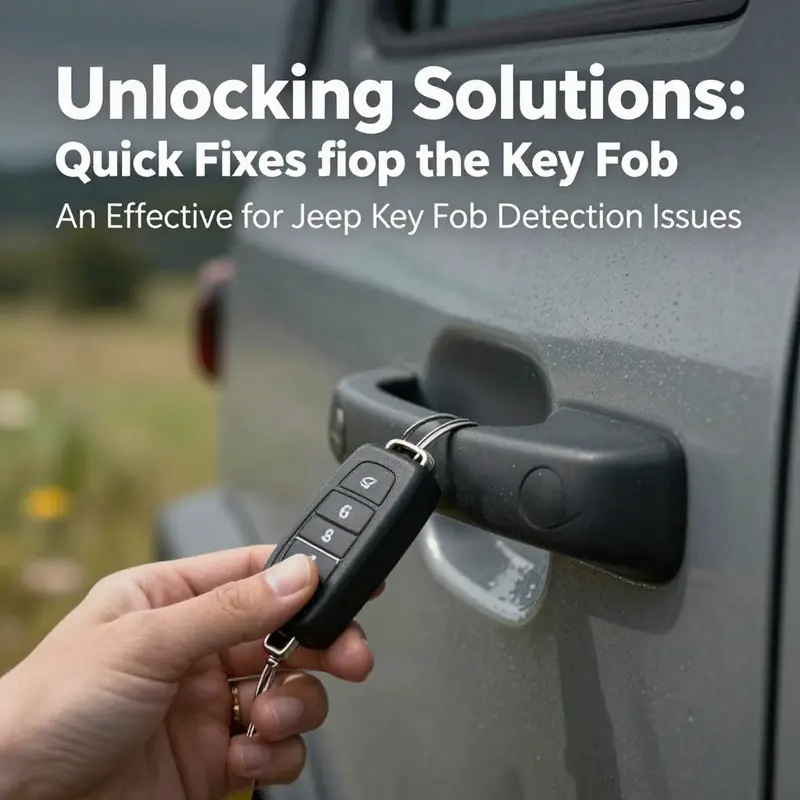
When the door handle feels cold to the touch and the dash lights refuse to wake, it’s easy to despair at a simple obstacle that should otherwise be minor. The key fob not detected message lands like a stubborn roadblock in the middle of a routine morning. Yet a lot of the time, the answer isn’t a dealer visit or a costly replacement. It’s a small, often overlooked adjustment—the way you hold, place, and even tap the fob as you approach the vehicle. This chapter follows that thread, tracing how repositioning the key fob can transform a stubborn blockage into a smooth, almost invisible handshake between you and your Jeep. It’s not about chasing a miracle fix; it’s about understanding how the fob communicates and how subtle shifts in proximity and orientation can unlock the message the car is trying to receive. The approach is practical, repeatable, and designed to fit into the flow of a busy day without turning into a science experiment. And while repositioning is not a universal cure for every model year or every fault in the system, it remains one of the fastest, no-tools-needed adjustments you can attempt before moving toward more involved diagnostics.
First, consider proximity. The key fob relies on radio signals that are strongest when the device is near the area the car uses to sense it. In many Jeep models, the critical zone is close to the door handle or the start button. If the fob sits in a pocket, a bag, or a metal case, the signal can be dampened enough to confuse the receiver. The simplest test is to approach with the fob held directly against the part of the car you’re trying to access, not merely in range of your hip pocket. Stand within one to two feet, then place the fob directly at the door handle’s seam or against the start button area. In some situations, a tiny change in angle—tilting the fob slightly toward the car or aligning it with the sensor window on the handle—can be the difference between a green light and a silent chime of denial. You don’t need something dramatic; you need a small adjustment that allows the receiver to hear the fob’s beacon amid a stew of everyday electronic clutter.
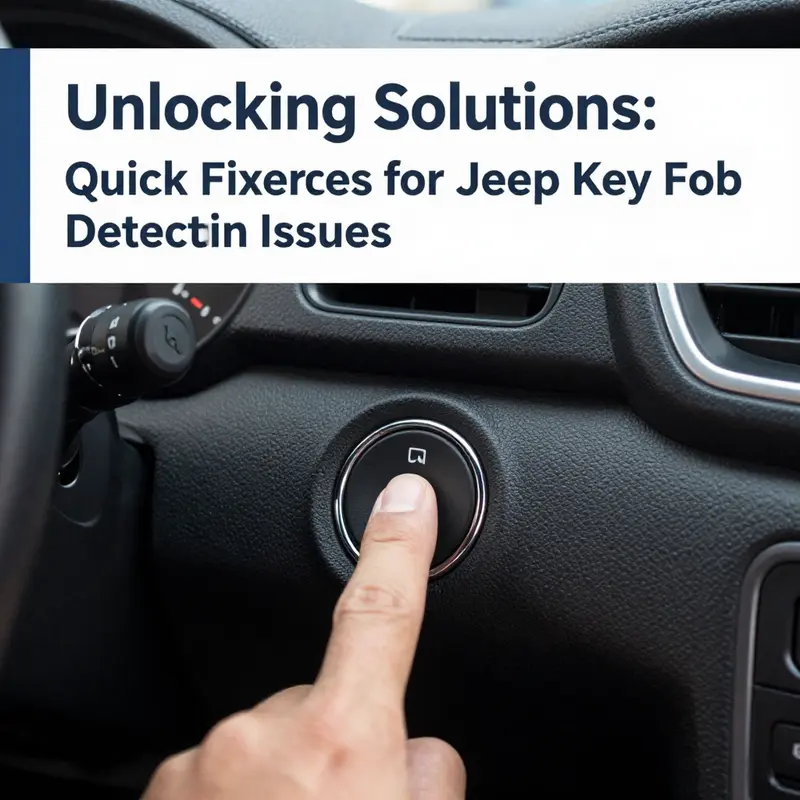
Next comes the tactile cue, often overlooked in favor of electronic tinkering. A light touch or gentle press against the interior where the fob meets the vehicle can foster better contact between the fob’s transmitter and the car’s receiver. This is sometimes described as the tap method. Think of it as giving the system a moment to reestablish contact rather than forcing an immediate exchange. The method is not about brute force; it’s about guiding the fob’s signal to the right point in the vehicle’s network. In practice, you hold the fob steady and press the brake, then attempt to start the engine with the Start button while keeping the fob near that critical zone. If the car responds with a nod instead of a no, you’ve likely found a favorable alignment. If not, it’s worth trying a very brief, controlled repositioning—move once, test, and repeat once more. In the end, many users report that a mere inch’s difference in how the fob is positioned makes the difference between failure and success. The correction is fast, non-invasive, and fits neatly into a morning routine that never seems to have enough time.
Battery health remains a central villain in this drama, even when repositioning seems to be the star. The battery in the fob powers its entire signaling capability. When the battery is weak, the signal weakens and the car’s receiver grows more uncertain about the fob’s identity. Repositioning should not be used to mask a dying battery, but it can help distinguish a genuine signal issue from one caused by battery drain. If you notice any hesitation in the fob’s response after you’ve adjusted your stance and angle, consider replacing the battery as a parallel, longer-term solution. The typical fob battery is a small coin cell, often a CR2032 or a similar type, available at many general stores. Replacing it is usually a straightforward process—open the fob’s casing, swap the battery, and reassemble. After a fresh battery is seated, run through the same proximity test again. You may find that the fob’s range extends, and the door unlocks with greater consistency, reinforcing the importance of battery health in the repositioning equation.
If the repositioning and battery swap still yield only sporadic results, it’s time to widen the lens to environmental factors. Electronic interference can be subtle but real. A phone, a portable power bank, or even another nearby key fob can create a digital fog that makes it harder for the car to see your fob clearly. In practice, this means moving away from other electronics and trying the same approach in an open area with fewer competing signals. The goal is to reduce noise so the fob’s signal has a clearer path to the vehicle’s receiver. The best way to think about this is to treat the fob as a radio and your Jeep as a stubborn station trying to lock onto a clean signal. With fewer competing transmissions, everything lines up more reliably.
Even when everything seems right in your hand, there are times when the issue isn’t the fob at all but the car’s own system. The vehicle’s keyless entry system is a network, and a glitch in one node can ripple through the others. In such cases, power cycling the vehicle’s system can provide a reset that clears stubborn detents in the communication chain. The process is simple: turn the ignition to ON without starting the engine, then remove the fob and wait for a moment. Some models respond to a short pause, others require a slightly longer window of separation. After waiting, reinsert the fob, and try the proximity test again. If the car responds consistently, the issue may have been a momentary hiccup in the system rather than a persistent fault. If the problem persists across multiple attempts and different fobs, it’s wise to broaden the diagnostic net and consider deeper checks of the receiver module or the car’s electronics.
A crucial companion to repositioning is the option to use the mechanical key, if your fob includes one. The mechanical key is not a universal feature on all Jeeps, but for several models like Wranglers and some compact variants, there is a hidden key blade inside the fob. This blade unlocks the door manually and serves as a tangible signal that the issue lies with the fob’s electronic system rather than the vehicle’s locking mechanism. The mechanical key works even when the fob’s battery is dead or when the signal path is in flux. Once inside, the car can be started with a standard ignition procedure if the fob is recognized after reintroduction, or the battery replacement can be completed and the fob retried in the normal fashion. This fallback is a reminder that even in today’s smart vehicles, a fallback anchor—an actual key blade—keeps the doors and the engine accessible.
When these steps converge with a practical mindset, repositioning the fob becomes less about chasing a miracle and more about restoring a natural rhythm between driver and machine. If, after battery replacement, careful proximity, careful tapping, and a momentary reset, the fob still fails to engage consistently, it is prudent to consider professional help. A dealer or a qualified technician can revalidate the fob’s identity against the vehicle’s immobilizer and can re-pair or reprogram the fob if the model year and trim support it. The reprogramming steps vary by year and trim, so consulting the official manuals or the dealer is essential to avoid missteps. In many cases, a technician will test the fob’s signal strength, check for interference at the receiver, and inspect the wiring harness and the receiver module for wear, corrosion, or loose connections. The goal is not simply to patch a symptom but to trace the root cause—whether it lies in the fob’s circuitry, the receiver, or a branching network of sensors that governs entry and ignition.
In the meantime, it is helpful to keep a simple mental checklist handy. Confirm battery health and replace if needed. Test proximity in multiple positions near the door handle and start button. Try the tap method subtly and observe whether any response changes. If possible, perform a brief system reset by turning the vehicle off, removing the fob, waiting briefly, and re-entering. Keep electronics that could cause interference at a distance during testing. If a hidden mechanical key exists, learn its location and practice using it until you are confident you can gain entry. Finally, if the problem remains stubborn, make a note of when the issue occurs and what specific steps seemed to help, even momentarily. This information can be invaluable for a dealership visit, where a more technical evaluation might be needed.
For readers seeking deeper context, a concise resource on related topics is available. Key fob behavior and related guidance can be found in broader discussions within the vehicle tricks community, which consolidates practical, model-agnostic advice with model-specific caveats. For a more thorough, model-centered approach, consult the official owner’s manual and the support resources tied to your Jeep model year and trim. These references provide precise steps and diagrams tailored to your vehicle’s configuration, ensuring you aren’t applying a one-size-fits-all method to a system that can vary subtly from year to year. If you want to explore related posts that unpack similar themes—like emergency access when electronics misbehave or the role of the mechanical key in modern keyless systems—you can read further on the site that hosts a variety of practical automotive fixes and explanations.
As a closing reminder, repositioning the key fob is a first-line tactic that aligns with common-sense troubleshooting. It is quick, non-destructive, and widely applicable across many Jeep models. The next steps—battery health, interference checks, and controlled resets—build on that foundation. When the story remains unresolved after these steps, you are not abandoning the search; you are refocusing it toward the parts and signal paths that actually govern your car’s awareness of your presence. In such cases, a professional assessment becomes the most efficient path forward, ensuring you regain a reliable, consistent connection to your vehicle with minimal downtime. For those who want to broaden their understanding of this topic and see how it connects to other common Jeep issues, the linked guide below offers a broader perspective you can bookmark for future reference.
Internal resource for deeper reading: Key Fob Has Left The Vehicle—What You Need To Know.
Key Fob Has Left The Vehicle—What You Need To Know
If you need more structured, official guidance, refer to the Jeep Owner’s Manual or the Jeep Customer Support portal. These resources provide model-specific steps and diagrams that align with your exact vehicle configuration. External reference: https://www.jeep.com/owners/manuals/
null
null
Final thoughts
Addressing key fob detection issues in your Jeep can prevent unexpected delays and ensure your operations continue smoothly. By following these quick-fix strategies—verifying the key fob battery, repositioning the fob, and employing reset techniques—you can enhance your vehicle’s reliability and get back on the road promptly. Remember, while these solutions often enlist minimal time and effort, regular maintenance and awareness of any underlying problems can help mitigate such technical frustrations in the future.